Magic Edit
Edit photos by saying it
Magic Edit is Aybuke's AI photo editor that works from plain words. Type what you want to change — “give me pink hair”, “add soft glam makeup”, “put me in a pink dress” — then slide to see your glow-up.
Updated 14 October 2026
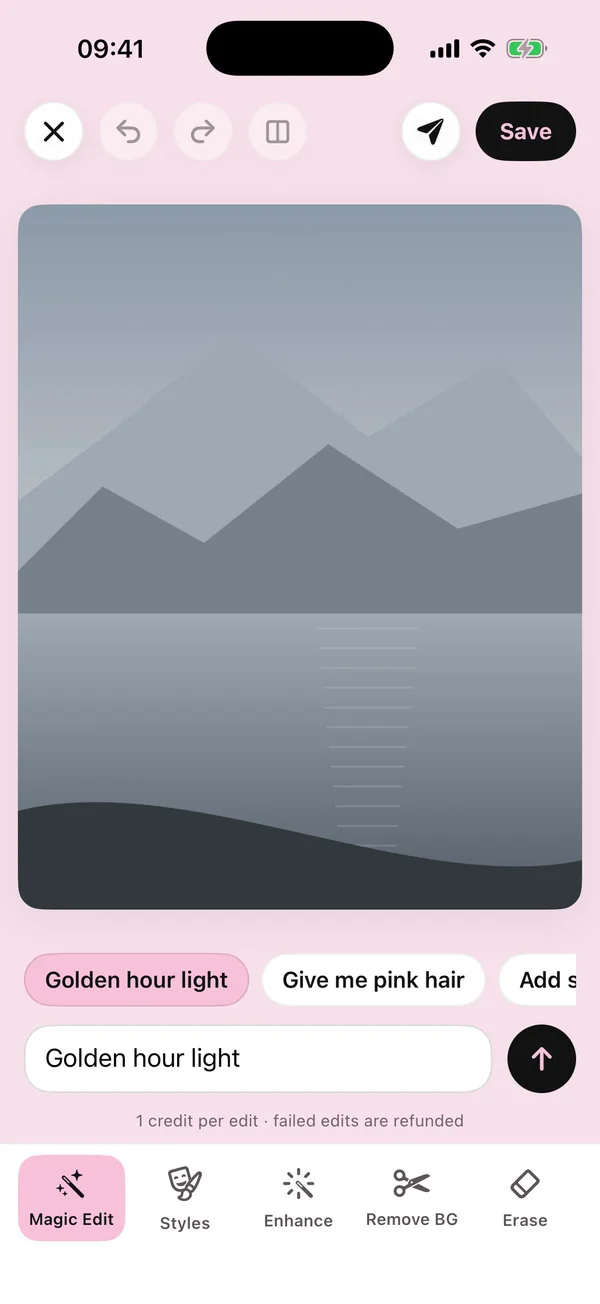
Magic Edit lets you change a photo by describing the change. It's built into Aybuke, the AI photo editor made for girls who glow, and every edit is written to keep your face, skin tone and body exactly as they are.
How it works
Pick a photo
Open Aybuke, tap Magic Edit on Explore and choose a photo. Aybuke uses Apple's photo picker, so it only sees the photos you choose — never your whole library.
Say the change
Type what you want, like “give me pink hair”, or tap a suggestion. “Ideas for this photo” suggests edits, looks and effects that fit the picture, worked out on your device, and Surprise me adds a free effect.
Say yes to cloud AI once
The first time, Aybuke asks before anything leaves your device and names who processes it. Choose “Not now” and the free on-device tools keep working.
Slide to compare
Drag the before/after slider, hold to see the original, undo, redo or keep editing with another prompt.
Save or share
Save to Photos, or share to Instagram Stories, a “Cover star” magazine cover, a photo strip or a before/after collage in one tap.
What you can ask for
Talk to Magic Edit the way you'd talk to a friend who's good with a camera. A few favourites:
Give me pink hair
Hair colour and style: try pastel pink, curls or a sleek bun. See the AI hair color changer or the one-tap Pink Hair look.Add soft glam makeup
Makeup: soft glam, glossy lips, a little blush — without changing your features. Rather tap than type? Makeup Studio has 14 looks.Put me in a pink dress
Outfits: dresses, blazers, cozy sweaters, ballet bows.Add cherry blossoms
Backgrounds and props: flowers, fairy lights, a café, Paris.Golden hour light
Light and mood: golden hour, blue hour, a dreamy glow.Add falling snow
Seasons: snow, autumn leaves, spooky candles, confetti.
Want more? Our guide has 40 photo edit prompts that work, plus tips for writing your own.
Made to keep you, you
Magic Edit never tries to change who you are. Every look is written to keep your face, skin tone, skin texture and body as they are, and an on-device likeness check runs after every people edit. If a result doesn't look like you, tap Retry free.
Aybuke has no body-reshaping or skin-lightening features. Its prompt filter is designed to block sexual, revealing, humiliating and body- or face-reshaping requests in all 12 app languages. Read more on our safety page.
More ways to edit
- Makeup Studio: 14 one-tap makeup looks, or your own mix of lips, eyes, blush, sparkle and hair color.
- Erase: brush over anything you don't want (zoom in for tiny things) and AI fills the gap.
- Enhance: sharpen a blurry photo.
- Styles: 50+ one-tap looks, from Doll Box to Fairy Princess.
- Effects: free 80s, 90s and Y2K effects that run on your device.
- Cut out, Adjust and Text & Stickers: free on-device tools with no watermark, like the background remover.
What it costs
Each Magic Edit uses 1 credit, and so does each Makeup Studio, Erase or Enhance edit. You get 2 free AI credits every day. Aybuke Pro gives you 80 credits a month instead — unused ones roll over — plus our best-quality AI, no watermark and no ads. If an edit fails, the credit comes back automatically. See pricing.
FAQ
Magic Edit, answered
Is Magic Edit free?
You get 2 free AI credits every day, and each Magic Edit uses 1 credit. Aybuke Pro gives you 80 credits a month. Failed edits are refunded automatically.
Will the result still look like me?
That's the point. Every look is designed to keep your face, skin tone and body as they are, and an on-device likeness check runs after every people edit. If it doesn't look like you, retry for free.
Do you keep my photo?
No. Photos you send for an AI edit aren't stored by us, results are deleted from our servers as soon as your device has them (within an hour at most), and nothing is ever used to train AI.
What can't I ask for?
Aybuke's filters are designed to block sexual, revealing, humiliating and body- or face-reshaping requests, in every app language. It's a tool for having fun with your look, not for changing your body or embarrassing anyone.
Does Magic Edit work on iPad and Mac?
Yes. Aybuke runs on iPhone and iPad with iOS 17 or later and on Mac with macOS 14 or later, and one purchase covers all three.
Get ready to glow
Aybuke is made for iPhone, iPad and Mac. Want early access? Email us and we'll get back to you.
Email for early access