Free on your device
Pro tools, zero uploads
Aybuke's everyday tools run right on your iPhone, iPad or Mac: remove a background, make a sticker, hide a friend's face, crop for any post, add text and stickers, pick your best selfie or build a photo dump. Free, private and watermark-free.
Updated 14 October 2026
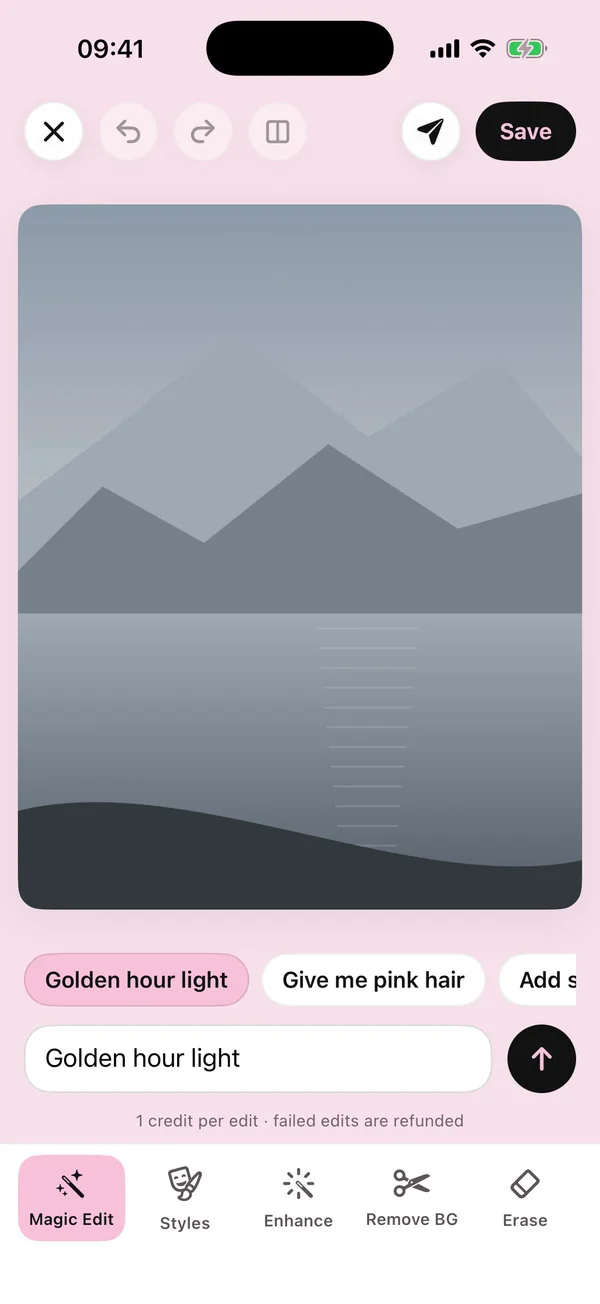
These tools never use credits and never upload your photos. They're free on the free plan and on Pro, and they work offline. For bigger fixes, Erase and Enhance add AI, with your OK first.
Remove BG & Cut out
Remove a background instantly, or use Cut out to tap the subject you want to keep. Refine the edge with a Keep more / Keep less brush, then put your cut-out on a colour, a gradient, a blurred copy of the original or one of your own photos — with an optional soft shadow — or save it as an outlined sticker. More on the background remover.
Hide faces
Posting a group photo? Hide faces lets you blur, pixelate or cover other people's faces before you share. When Aybuke spots friends in a photo you're about to share, a kindness reminder offers a one-tap “Hide their faces”, and when you share from My Works or Create, the share screen can blur other faces too. More on hiding faces.
Best shot
Pick up to 12 selfies and Best shot shows which one has the best light and focus. It looks at the photo, never at how anyone looks.
Crop, Adjust & Auto
Crop to every posting shape, rotate, mirror and straighten. Adjust light and colour with simple sliders, or tap Auto for the best settings. RAW photos are developed automatically.
Text & Stickers
Add words in six fonts and four styles, pick from a sticker sheet in six sections (Cute, Y2K, Glam, Love, Sky and Words), paste your own cut-outs as stickers or draw doodles. Everything stays editable until you tap Apply.
Collage
Collage turns 2–9 photos into a grid, mosaic, film strip, instant prints, scrapbook or moodboard, in 4:5, 1:1, 9:16 or 3:4, or makes a seamless carousel of 2–5 slides for your posts. See the collage maker.
Retro Cam
Shoot with live 80s, 90s and Y2K effects, a self-timer and flash, or let Retro Booth take 4 shots with a 3-2-1 countdown and print them as a strip or a grid. See Retro Cam, and all the retro effects.
Erase & Enhance, with AI
Erase: brush over something you don't want, zooming in for tiny things, and AI fills the gap. Enhance: sharpen a blurry photo. These two run in the cloud, so Aybuke asks first, and each uses 1 AI credit; you get 2 free every day, and failed edits are refunded.
Want more AI? When you're ready for bigger changes, Magic Edit, Makeup Studio and one-tap looks use AI credits too — 2 free every day.
FAQ
Tools, answered
Is background removal free?
Yes. Remove BG and Cut out are free on every plan, run on your device and add no watermark.
How do I blur someone's face before posting?
Use Hide faces to blur, pixelate or cover other people's faces. Aybuke also offers a one-tap “Hide their faces” when it notices friends in a photo you're sharing.
How does Best shot choose?
It compares up to 12 selfies for light and focus and shows the sharpest, best-lit one. It never ranks anyone by looks.
Can I make a photo dump or carousel?
Yes. Collage makes photo dumps from 2–9 photos and seamless carousels of 2–5 slides.
Can I remove something from a photo?
Yes. Erase lets you brush over it, zooming in for tiny things, and AI fills the gap. It runs in the cloud after you agree and uses 1 AI credit.
Get ready to glow
Aybuke is made for iPhone, iPad and Mac. Want early access? Email us and we'll get back to you.
Email for early access